


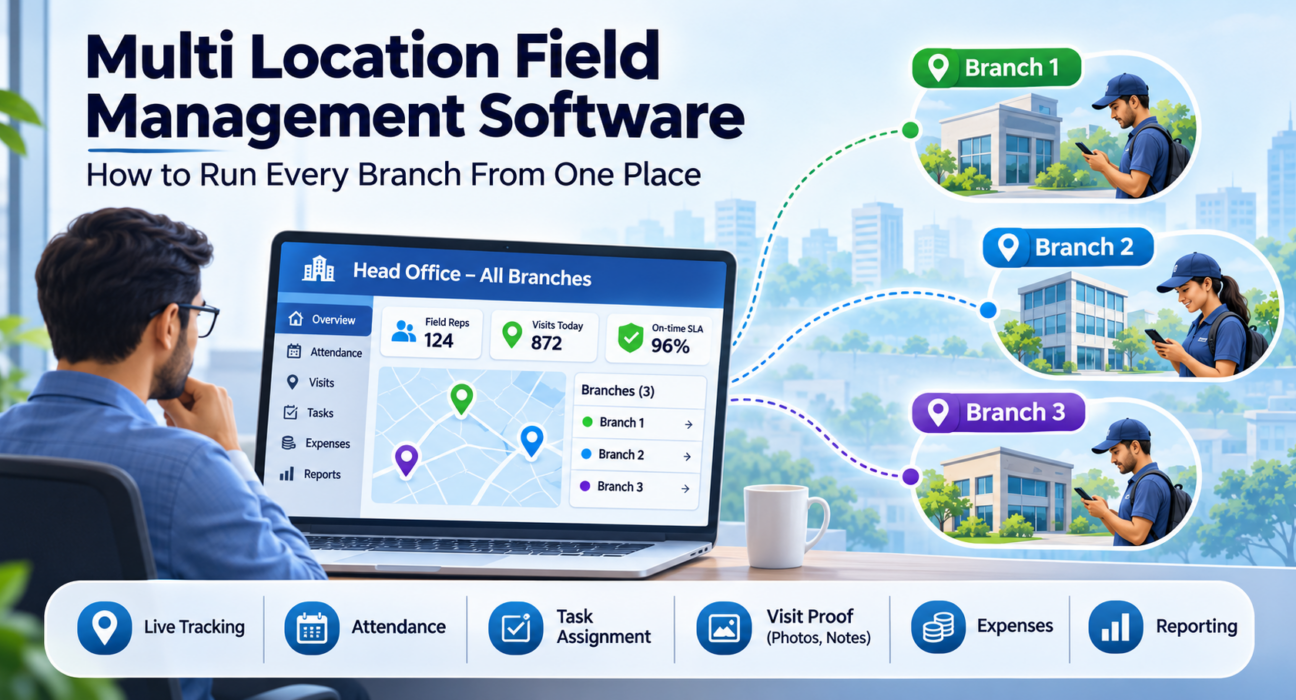
Multi Location Field Management Software: How to Run Every Branch From One Place
When a business has one office and one field team, a manager can see most of what is happening. Add a second city, then a fourth, and that visibility disappears. Each branch builds its own attendance sheet, its own WhatsApp group and its own way of reporting visits.
Multi location field management software fixes this by putting every branch’s field team on one platform. Head office gets a single view, while each branch still runs its daily work. This guide explains how centralized field operations work, where multi-branch setups go wrong, and how to choose and roll out the right system.
What Is Multi Location Field Management Software?
Multi location field management software is a platform that lets a business manage field teams across several branches, cities or regions from one system. It combines live tracking, attendance, task assignment, visit proof, expenses and reporting, and applies the same rules to every location. Leadership sees the whole business, and branch managers see only their own teams.
It is a form of field force management software. The “multi location” part means the platform is built around hierarchy, territories and role-based access, so one tool can serve a head office and many branches without mixing their data.
What Are Centralized Field Operations?
Centralized field operations means managing planning, standards, tracking and reporting for all field teams from one system, while branches handle day-to-day execution. The aim is not to take decisions away from branch managers. It is to make sure every branch works to the same rules and reports in the same format.
In practice, head office controls a few things:
- Processes: the same visit checklists, approval flows and SLA rules everywhere.
- Data: one source of truth for attendance, visits, tasks and expenses.
- Visibility: a consolidated view of every team, with drill-down by branch.
Branches keep control of assigning work, planning routes and coaching their own people.
Why Managing Multiple Branches Gets Harder as You Grow
Most multi-branch problems come from inconsistency, not effort. Each branch adapts its own process, and head office finds out about the gaps only at month-end.
Inconsistent processes
One branch records visits with photos, another relies on a call from the rep, and a third uses a spreadsheet. You cannot compare branches fairly when each one measures work differently.
Delayed and unreliable reporting
Branch managers compile reports by hand, and head office receives them days later. By then, a missed target or a stalled service ticket is already old news.
Blind spots outside the office
Once reps leave the branch, there is often no live view of who is where, or proof that a visit happened. This is where hours and money quietly slip away.
Disconnected tools
Attendance on paper, updates on WhatsApp and expenses in spreadsheets mean no two branches can be rolled up into one picture.
Unclear accountability
Without a clear hierarchy, nobody is sure who approves a leave request, an expense claim or an escalated job. Delays build up at branch boundaries.
How to Manage Multiple Branches With Centralized Field Operations: 7 Steps
- Map your structure. List your branches, regions and reporting lines, from field rep to branch manager to regional head to director.
- Standardize core processes. Agree on one attendance rule, one visit checklist, one expense policy and one SLA definition for all branches.
- Set roles and permissions. Give each level the right access. Reps see their own work, branch managers see their branch, and leadership sees everything.
- Define territories. Assign customers, routes or beats to branches so that coverage is clear and does not overlap.
- Choose a single platform. Move attendance, tasks, visits, expenses and reporting onto one system.
- Roll out in stages. Pilot with one or two branches, fix what you learn, then expand.
- Review the same KPIs everywhere. Use a common set of metrics, such as visits completed, on-time SLA and expense cycle time, to compare branches on equal terms.
Centralized vs. Decentralized Field Management
| Area | Decentralized (each branch on its own) | Centralized with branch autonomy |
|---|---|---|
| Processes | Different in every branch | One standard, configured per business |
| Reporting | Manual, delayed | Real time, consolidated |
| Visibility for leadership | Partial, depends on branch managers | Full, with drill-down by branch |
| Accountability | Unclear at branch boundaries | Defined by hierarchy and roles |
| Data quality | Inconsistent formats | One source of truth |
| Comparing branches | Hard to do fairly | Same KPIs everywhere |
Most growing businesses end up in the right-hand column. The goal is consistency at the top and flexibility at the branch.
What to Look for in Multi Location Field Management Software
Use this checklist when you evaluate platforms.
Hierarchy and role-based access
The software should mirror your structure and control who sees what. Branch managers should not see another branch’s data unless you allow it.
A live view of every team
Look for a real-time map with team status and a GPS trail, so you can see where people are without calling them.
Attendance you can trust
Geofencing, server-time punch-ins and spoof detection help keep attendance honest across locations you cannot visit daily.
Proof of visit
Photo, signature or OTP capture confirms that a visit or job was completed, so you can verify work remotely.
Configurable forms and workflows
Every business is different. Look for custom job types, checklists, forms and approvals that you can set up without coding.
Route and beat planning
Planning tools reduce wasted travel, which matters most when territories are large.
Offline capability
Branch teams often work in areas with weak coverage. The app should keep working and sync once the network returns.
Expense and collection tracking
Receipts, approvals and collections should follow the same flow in every branch.
Branch-level and consolidated reporting
You should be able to view the whole business and then drill down to a single branch or rep.
Integrations
If you use CRM, ERP, accounting or HR systems, check that the platform connects to them through APIs.
How Multi Location Field Management Software Works Day to Day
A typical day runs in four steps: assign, execute, track and review. Here is what that looks like across branches.
- Assign: Managers create tasks and visits with checklists, priority and an SLA. The right rep receives them on their phone.
- Execute: Reps follow a guided job card, then capture photo, signature or OTP proof. This works offline.
- Track: Punch-ins, routes and outcomes appear on a live map for the branch manager and for head office.
- Review: Dashboards show KPIs by branch, so leadership can spot slow branches and learn from strong ones.
A simple example
Imagine a distribution company with branches in Hyderabad, Pune and Chennai. Before centralizing, each branch sent a daily summary on WhatsApp. After moving to one platform, the regional head opens one dashboard in the morning and sees how many reps have punched in, which visits are pending and where an SLA is at risk. The Pune manager still plans Pune’s routes. Head office just no longer waits for a report to know what is happening.
This is an illustration of the workflow, not a customer result.
How FieldExecutives Supports Multi-Branch Field Operations
Businesses looking to simplify these processes can use field force management software such as FieldExecutives. Based on the features published on its website, the platform includes:
- Live team map: see every rep, route and visit in real time, with a GPS breadcrumb trail.
- Geofenced attendance: server-time punch-ins with geofencing and mock-location detection.
- Proof of visit: photo, signature and OTP capture, plus guided checklists and SLA timers.
- AI route and beat planning: designed to reduce travel time for each rep.
- Custom forms and workflows: job types, checklists, approvals and SLAs configured without writing code.
- Expenses and collections: receipt-backed expense approvals and collection tracking through to settlement.
- Three connected apps: a mobile app for field reps, a web console for managers and directors, and an admin portal for owners to manage users, roles, hierarchy and KPI targets.
- Multi-city teams: location-based roles, territories and routing across cities.
- Flat pricing: one monthly price by team size, with all features on every plan and a 7-day free trial.
Every business’s setup is different, so results will depend on your processes and how consistently the platform is adopted. A short demo is the quickest way to check whether the structure fits yours.
Best Practices for Rolling Out Across Branches
- Pilot first. Start with one or two branches and refine the workflow before expanding.
- Involve branch managers early. They know local realities and will drive adoption.
- Keep forms short. Long forms slow reps down and reduce data quality.
- Train in the local language. Make sure reps are comfortable with the app.
- Be clear about location tracking. Explain that tracking applies to working hours and why it matters. Transparency builds trust.
- Review weekly at first. Use the dashboards in branch meetings so the data is seen to be useful.
- Refine as you learn. Adjust checklists, SLAs and approvals after the first month.
Conclusion
Managing several branches does not have to mean losing control. Standard processes, clear roles and one live view of every team turn scattered branch operations into one coordinated system. The right multi location field management software gives head office the visibility it needs and leaves branch managers free to run their territories.