Best CRM for Managing Customer Complaints and Follow-Ups
A customer calls about a wrong invoice. The agent says, “We will call you back.” Three days later, nobody has called, and the customer is now more upset about the silence than the invoice.
In fact, this is how most complaints get worse. Usually, the original problem is not the real damage. A missed follow-up is.
Businesses that handle complaints over calls, WhatsApp and email need a system that records every complaint, gives it an owner and reminds the team before a deadline slips. Good complaint follow-up software does this. However, the right choice depends on your complaint volume and on whether your team works mainly through phone calls.
This guide explains what complaint management software does, when a CRM is enough and when you need a full helpdesk. It also covers what to check before you buy.
Quick Answer: What Is the Best CRM for Complaints and Follow-Ups?
The best CRM for complaints logs every complaint with its full history, assigns a clear owner, schedules follow-ups with reminders and shows managers what is overdue. If your team handles complaints mainly by phone, a calling-focused CRM works well. If you need formal ticket numbers, SLA timers and escalation matrices, a dedicated helpdesk or complaint management system suits you better.
What Is Complaint Management Software?
Complaint management software helps a business record customer complaints, assign them to team members, track them until they are resolved and study patterns afterwards. Most tools combine complaint tracking, ticketing, automation, reporting and analytics.
A complaint usually moves through six stages:
- Capture: Your team logs the complaint from a call, message or email.
- Assign: One person becomes the owner.
- Investigate: The team finds out what went wrong.
- Resolve: The customer gets a fix or a clear answer.
- Follow up: Someone confirms the customer is satisfied.
- Learn: Managers review repeated issues and fix the root cause.
However, software matters most at stages 2, 5 and 6. This is where manual tracking in Excel or WhatsApp groups usually breaks down.
Complaint Management Software vs CRM vs Helpdesk
People often mix up these three terms. Each one fits a different situation.
| CRM for telecallers | Helpdesk / ticketing tool | Dedicated complaint management system | |
|---|---|---|---|
| Focus | Customers, calls and follow-ups | Support tickets | Formal grievance handling |
| Best for | Phone-first teams with moderate complaint volume | Support teams with high ticket volume | Regulated or audit-heavy businesses |
| Strengths | Call history, callbacks, team visibility | Ticket IDs, SLA timers, knowledge base | Compliance workflows, investigation records |
| Possible gaps | May lack formal ticketing and SLA rules | May be weak at outbound calling | Can be costly and complex for small teams |
If most of your complaints arrive and end on phone calls, a CRM with strong follow-up tools may be enough. On the other hand, if you must issue ticket numbers, track resolution deadlines by category or report to a regulator, choose a tool made for that.
Features to Look For in Complaint Management Software
One Customer Record with Full History
The person handling a complaint should see earlier calls, notes, messages and customer details on one screen. Otherwise, customers have to repeat their story, which makes them angrier.
A Clear Owner for Every Complaint
Complaints disappear when a whole team “looks into it.” So, look for assignment rules that send every complaint to one named person, ideally someone who is on shift.
Follow-Up Scheduling and Reminders
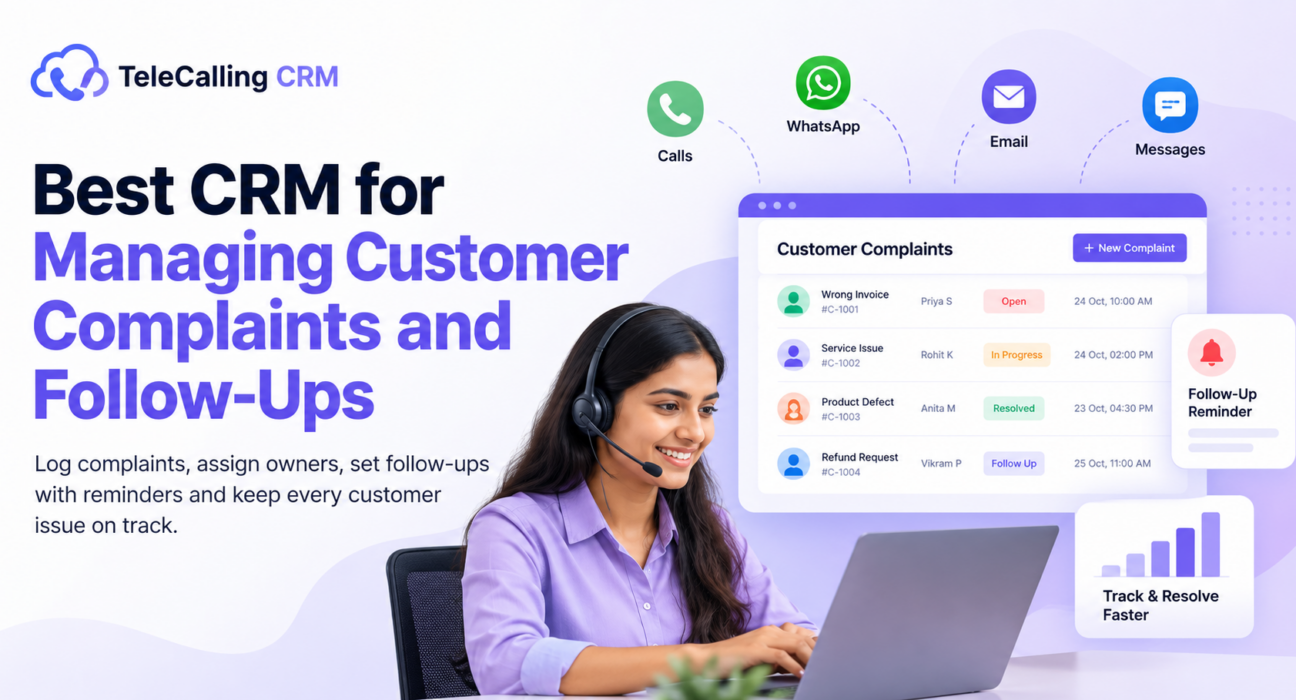
This is the core of the system. You need one-tap callback scheduling, reminders before the due time and overdue alerts. In addition, a manager should see today’s, overdue and upcoming follow-ups at a glance.
Status, Priority and Categories
Not every complaint is equal. A billing error and a safety concern need different speeds. Therefore, choose a tool where you can create your own stages, such as New, Under Review, Resolved and Closed, and mark priority.
Call Recording and Notes
Recordings and notes settle disputes about what the team promised. Also, they help train agents to handle upset customers.
A Multi-Channel Record
Customers complain on calls, WhatsApp, SMS and email. The history should sit in one thread, not in five places.
Reports
Managers need to see how many complaints are open, how many are overdue, who handles the most and which issues repeat.
Access Control and Data Protection
Complaint records contain personal details and sometimes recordings. Check role-based permissions, encrypted storage and data retention controls.
How to Set Up a Complaint and Follow-Up Process
A tool will not fix a weak process. Start with these steps:
- Define what counts as a complaint. Separate complaints from general queries and feedback.
- Create simple categories. Four to six is enough, such as billing, service quality, delivery, product and staff behaviour.
- Set stages. Keep them few and clear, for example New, In Progress, Resolved and Closed.
- Set response targets. Decide how quickly you will acknowledge and resolve each category. However, if you work in a regulated sector such as banking or insurance, check your regulator’s timelines first.
- Assign one owner per complaint. Automate this where possible.
- Schedule a follow-up before closing. Call the customer after the fix to confirm they are satisfied.
- Review weekly. Look at overdue items and repeated issues, and fix the cause.
Practical Examples
These are hypothetical examples that show how the process can work.
Real estate: A buyer complains that the team missed the site visit. The agent logs it, the manager gets an alert, and a callback is set for the same evening. Then, once the visit is rescheduled, a second follow-up confirms the buyer is comfortable.
Healthcare clinic: A patient complains about a long waiting time. The front-desk team notes the complaint and tags it “waiting time.” At the end of the month, they review all such tags. As a result, the pattern shows that mornings need an extra desk.
E-commerce: A customer reports a damaged product. The agent records the call, promises a replacement update by a set date and schedules a callback. The record shows exactly what the agent promised.
Insurance: A policyholder complains about a late renewal reminder. The team checks the call history, corrects the process and follows up after the renewal.
Common Mistakes to Avoid
- Tracking complaints in WhatsApp groups or sheets. Nothing reminds anyone when a follow-up is due.
- Having no single owner. Shared responsibility becomes no responsibility.
- Closing the complaint without confirming with the customer. The agent thinks it is solved, but the customer disagrees.
- Using too many categories. If agents cannot choose quickly, they will not choose accurately.
- Ignoring patterns. If you resolve each complaint but never fix the cause, the same complaints return.
- Buying more than you need. A small team does not need a heavy enterprise system. Equally, a large regulated team should not run on a basic tool.
How TeleCallingCRM Can Help
TeleCallingCRM is a telecalling CRM that mainly serves outbound sales teams in India. It is not a dedicated complaint management system, and it is fair to say so. However, many teams handle complaints over phone calls, and several of its features support that work.
What It Offers for Complaint Handling
Based on the TeleCallingCRM features page, teams can:
- Schedule follow-ups with reminders. It offers one-tap callbacks, reminders before the due time and overdue alerts, with Today, Overdue and Upcoming lists.
- Keep full call history. Every lead carries its call history, notes, source and recordings on one timeline.
- Spot unhappy calls. AI call analysis, which accounts can opt into, summarises calls, reads sentiment and extracts action items, including for Hindi and Hinglish calls. Team alerts can also flag calls for attention.
- Organise complaints their own way. Custom pipeline stages, tags and custom fields let a team mark complaint status and category. This is a workaround using CRM fields, not a ticketing module.
- Route work to the right person. Assignment rules can send records to specific agents, including by language.
- Follow up on any channel. SMS, email and WhatsApp messages sit on one timeline per lead.
- Control access. Roles and permissions limit who sees what, and the platform encrypts recordings.
Where It May Not Fit
The website does not list ticket IDs, SLA timers, escalation matrices or a customer self-service portal. So, if you need those, or if you face strict grievance-redressal rules, evaluate a dedicated helpdesk or complaint management system as well.
Who It Suits Best
Phone-first teams in healthcare, insurance or e-commerce may find that the follow-up and call-history tools cover everyday complaint handling. The 3-day free trial lets you test this against your real process.
For more on how call quality affects customer satisfaction, read our guide on improving CSAT with smart call center software.
Quick Checklist Before You Buy
- Can we see every past call and message for a customer in one place?
- Does every complaint get one owner automatically?
- Can we schedule follow-ups and get overdue alerts?
- Can we create our own stages and categories?
- Do we need ticket numbers or SLA timers, and does the tool offer them?
- Can managers see open and overdue complaints in one report?
- Does the tool protect recordings and customer data with role-based access?
- Have we tested it with ten real complaints from last month?
Frequently Asked Questions
What is complaint management software?
Complaint management software is a tool that records customer complaints, assigns them to team members, tracks them until resolution and reports on patterns. It helps businesses respond faster, avoid missed follow-ups and find repeated problems.
Can a CRM be used for complaint management?
Yes, a CRM can handle complaints if it has customer history, assignment, follow-up reminders and custom stages. It works best for phone-first teams with moderate volumes. However, businesses that need formal ticket numbers, SLA timers or regulatory reporting usually need a helpdesk or dedicated complaint system.
What is the difference between a helpdesk and complaint management software?
A helpdesk handles all customer support requests as tickets. Complaint management software focuses on grievances, with investigation, resolution and learning stages, often with stronger audit records. Many helpdesks include complaint features, so the two overlap.
How quickly should a business follow up on a complaint?
There is no single rule. Regulated sectors like banking, insurance and telecom follow timelines that their regulators set, so check yours. Otherwise, a sensible approach is to acknowledge every complaint on the same day and give the customer a clear date for the next update.
What should a complaint record contain?
A good record has the customer’s details, date and channel, a short description, category, priority, assigned owner, current status, actions taken, promised dates and the final outcome. Call recordings and notes add useful proof.
Is TeleCallingCRM a complaint management software?
No. TeleCallingCRM is a telecalling CRM that focuses on lead management, auto dialing and follow-ups. Teams can use its follow-up reminders, call history and custom fields to track complaints, but it does not list dedicated ticketing or SLA features.
How do I choose between a CRM and a dedicated complaint system?
Look at your volume and your rules. If complaints are few and your team mostly handles them on calls, a CRM may be enough. However, if you must issue ticket numbers, meet fixed deadlines or share reports with a regulator, choose a dedicated tool.
Conclusion
Complaints are not the real risk. Unanswered complaints are. A good system gives every complaint an owner, a status and a follow-up date, and it shows managers what is slipping before the customer has to chase you.
First, fix your process, then pick the tool that matches it. For phone-first teams, a call center CRM with reliable follow-up tools may be all you need. For regulated or high-volume complaints, add a dedicated system. Whichever you choose, test it on real complaints before you commit.